Concert Companion
Gut vorbereitet auf die Bühne.
Die Übungs-App für klassische Musiker. Plane, was du übst, bereite deine Konzerte vor, und wenn du singst: Lern jeden Text mit Übersetzung, Aussprache und Audio.
Drei Probleme, die jeder Musiker kennt.
Du weißt nicht mehr, welche Stücke wirklich sitzen und welche sich nur gut anfühlen, weil du sie letzte Woche noch gespielt hast.
Die Woche vor einem Konzert beginnt ohne Überblick: Was muss noch durchgespielt werden, was sitzt schon?
Und wenn du singst: Die Übersetzung steht in einem Buch, die Aussprache in einem zweiten, die Aufnahme ist auf YouTube.
Dein Üben, organisiert.
Repertoire, Planung und Konzerte, an einem Ort.
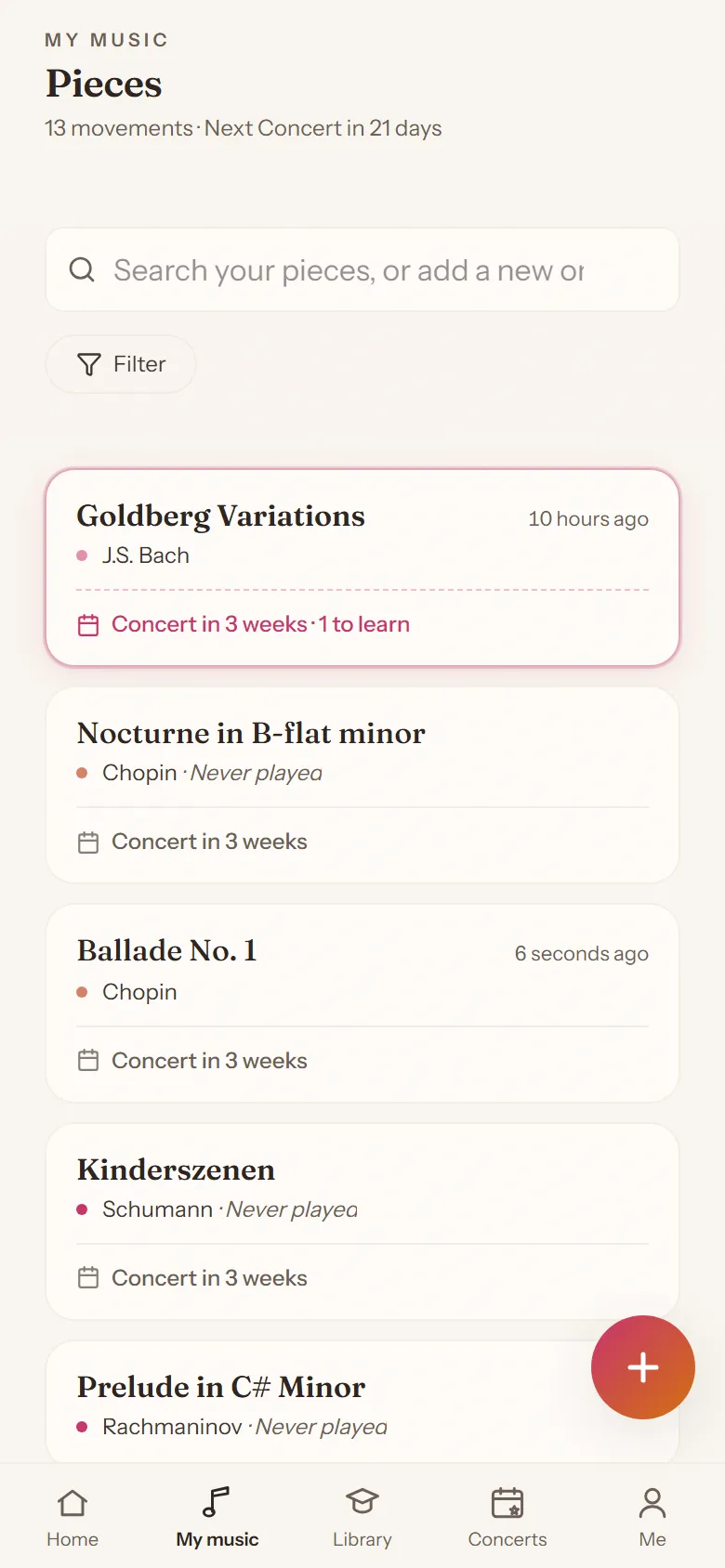
Repertoire im Blick
Jedes Stück mit klarem Status: lernen, aufführbar, gepflegt.
Tagesplaner
Jeden Tag eine Antwort auf die Frage: Was übe ich heute?
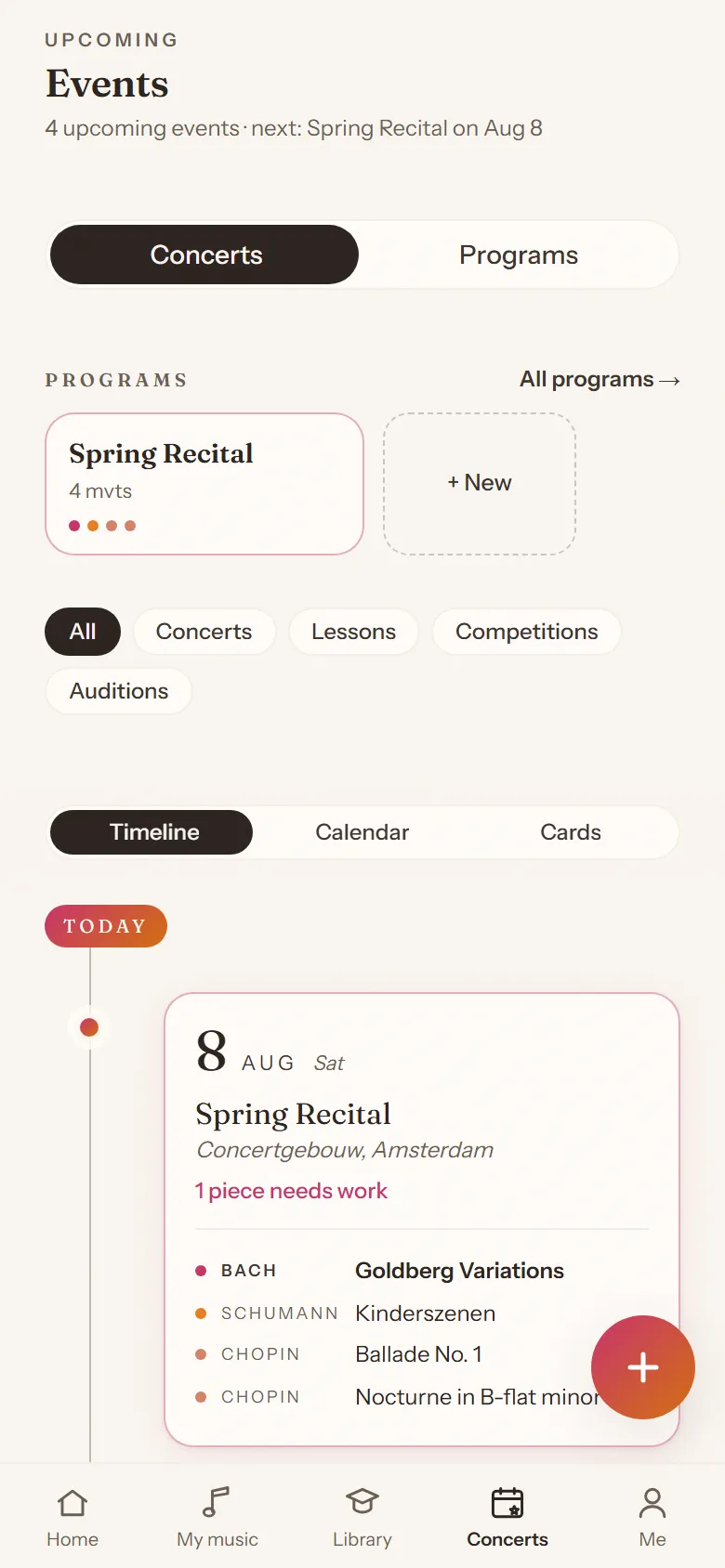
Konzerte und Programme
Stell Programme zusammen, plan Konzerte und sieh, was bereit ist, während das Datum näher rückt.
Performance Prep Mode
In den Wochen vor einem Konzert verschiebt sich dein Plan von selbst Richtung Durchläufe.
Timer und Metronom
Eingebaut, genau da, wo du übst.
Aufnahmen
Nimm Ausschnitte auf und bewahr sie beim Stück auf.
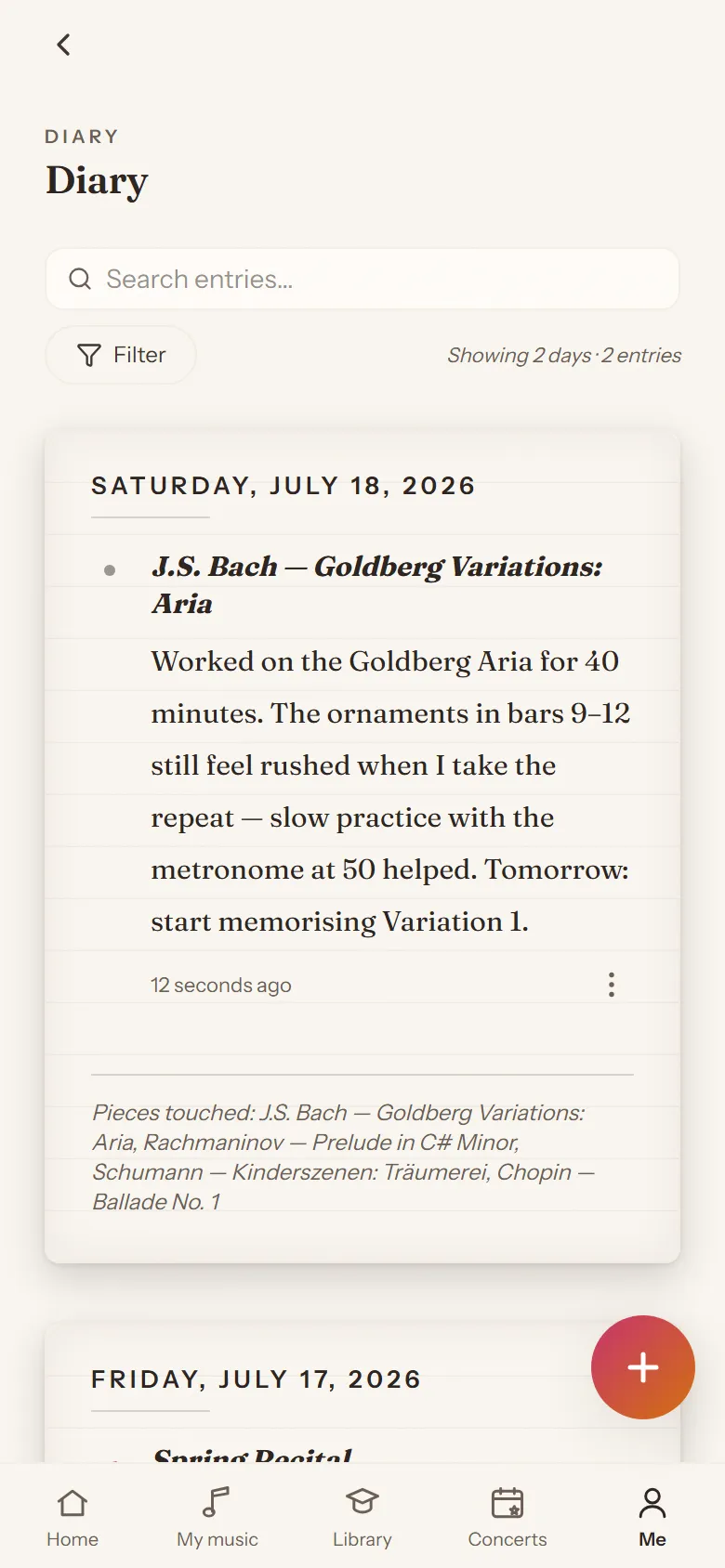
Verschlüsseltes Tagebuch
Private Notizen zu Sessions, Stücken und Konzerten. Niemand sonst kann sie lesen, auch wir nicht.
Statistiken und Serien
Sieh deine Stunden, deine Serie und deinen Fortschritt über die Zeit.
Für Sänger geht es weiter.
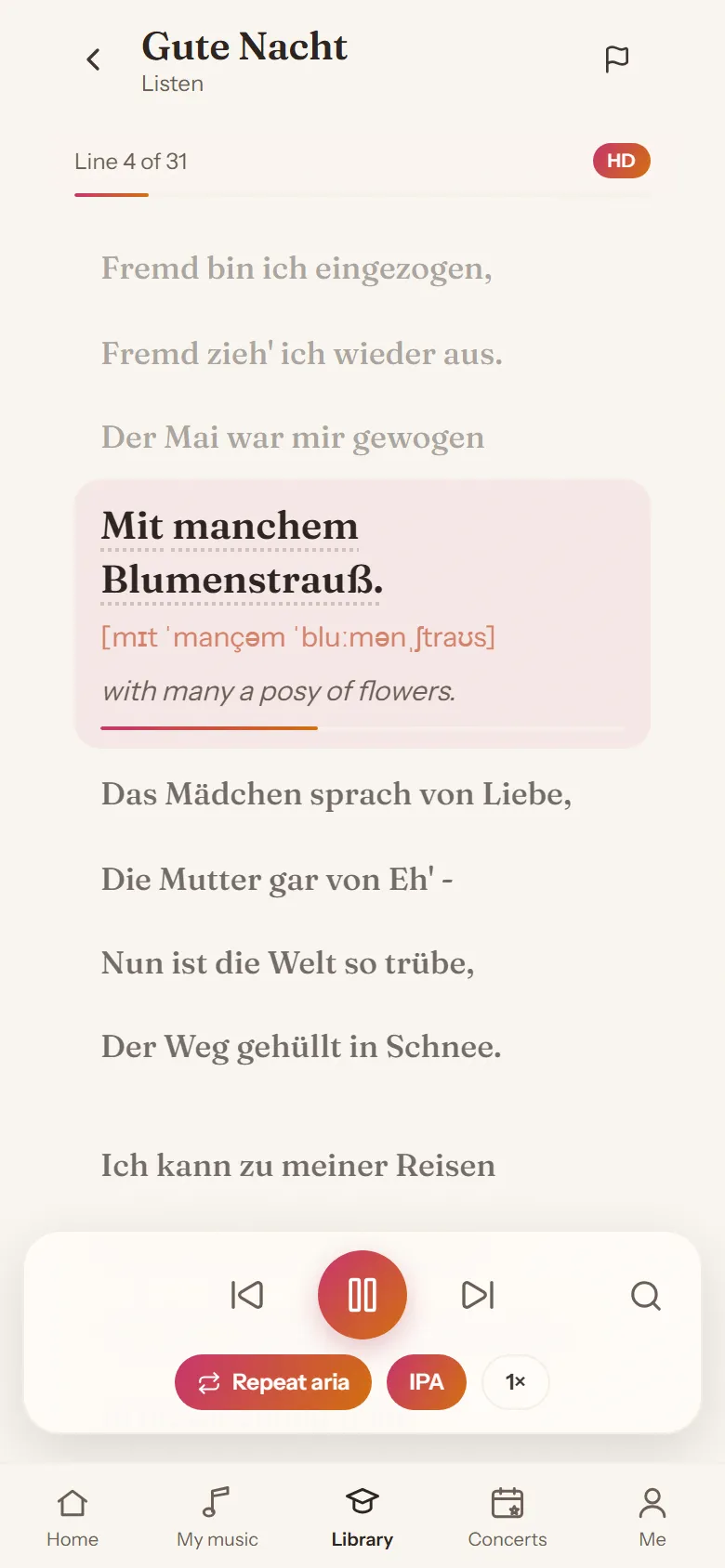
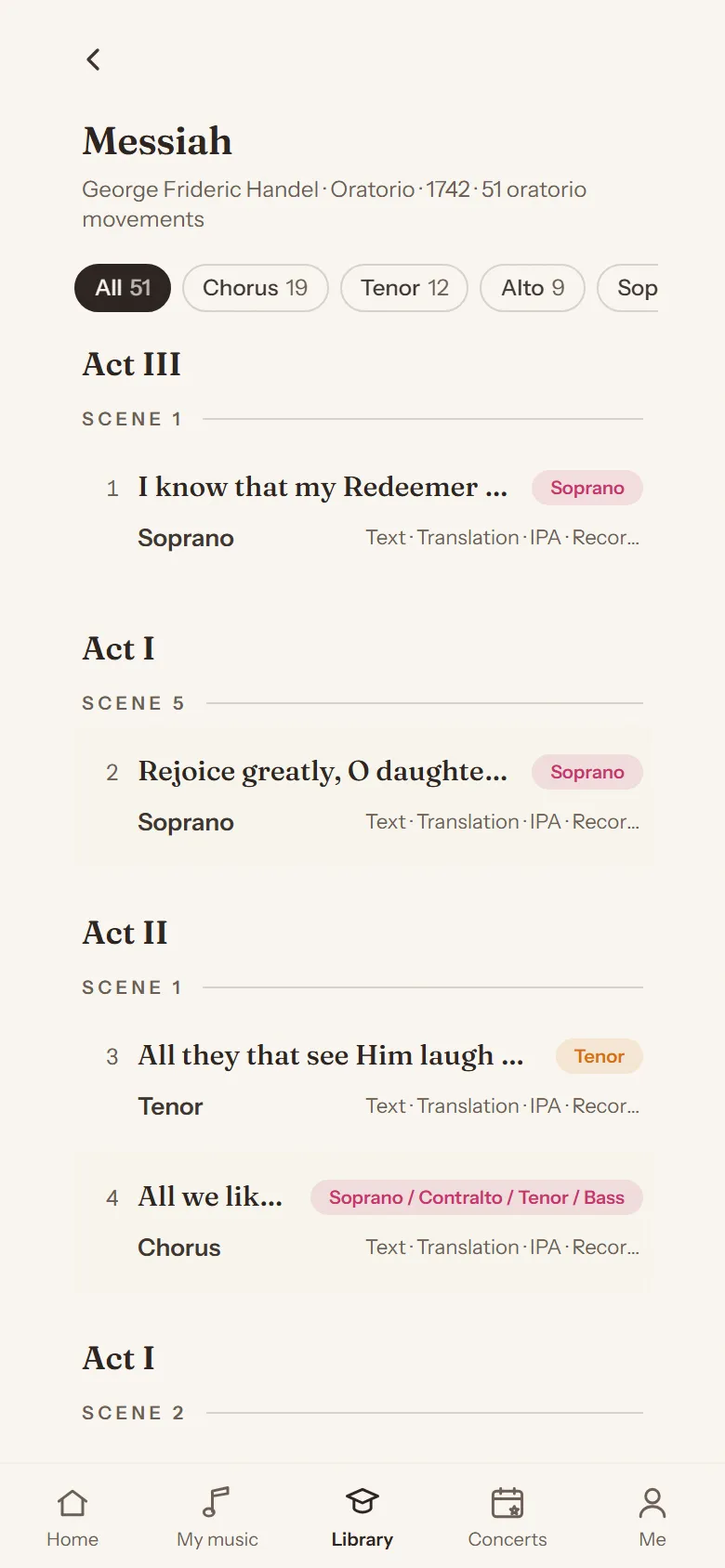
Eine Bibliothek mit über 95.000 Arien, Liedern und Nummern, von Oper bis Oratorium. Mehr als 2000 Werke sind vollständig ausgearbeitet: Original, Übersetzung, Wortbedeutungen und IPA, Zeile für Zeile, mit HD-Audio.
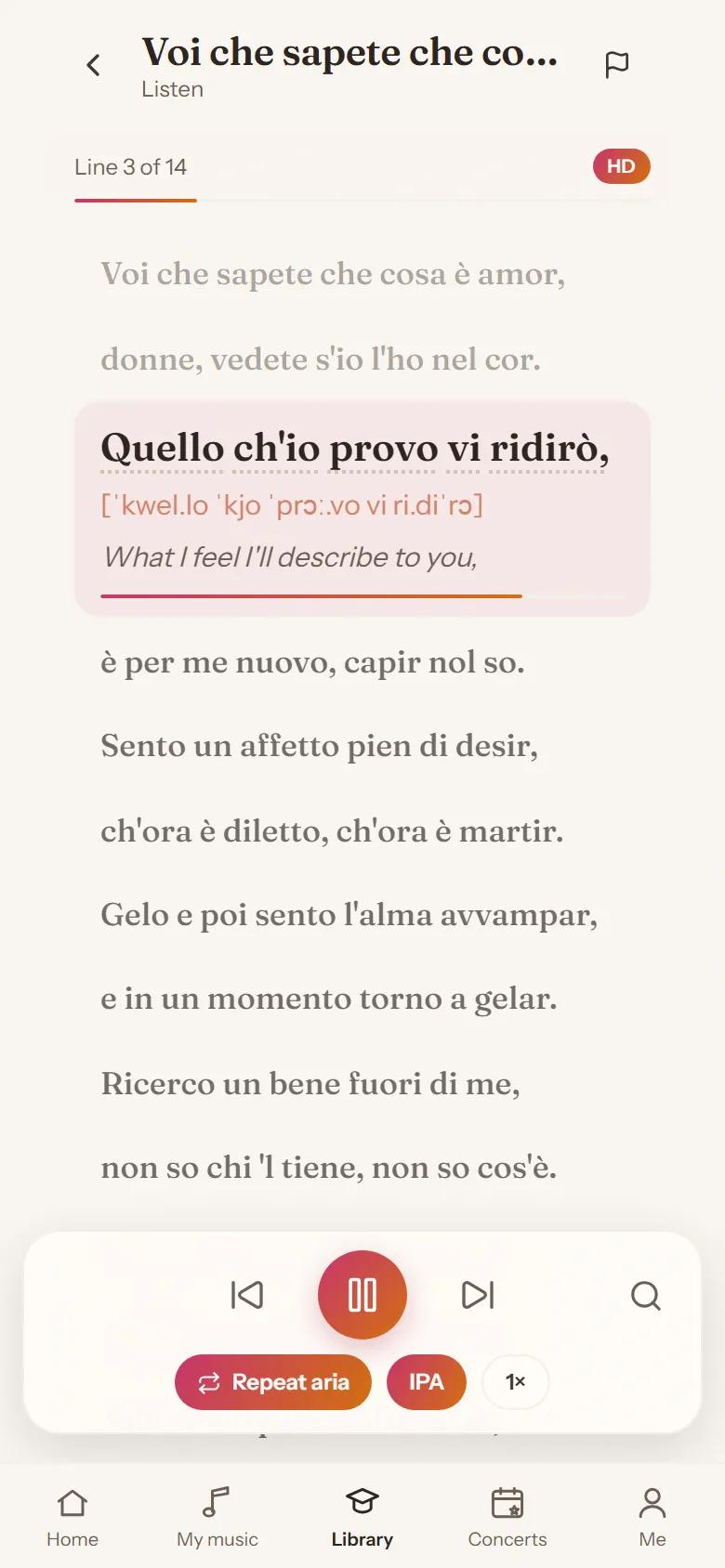
Übersetzung pro Zeile
Jede Zeile in deiner Sprache, neben dem Original.
Bedeutung pro Wort
Tipp auf ein Wort und du siehst, was es bedeutet.
Aussprache in IPA
Der ganze Text in IPA, neben jeder Zeile.
HD-Audio
Hör jede Zeile vorgelesen, in hoher Qualität.
Suche nach Stimmfach
Finde Repertoire, das zu deiner Stimme passt, oder such nach Komponist oder Sprache.
Historische Aufnahmen
Aufnahmen aus der Schellackzeit direkt auf der Arienseite: hör, wie es vor hundert Jahren gesungen wurde.
Kostenlos komplett zu studieren
Le nozze di Figaro, Dichterliebe und Messiah sind für alle kostenlos. Eins für Opernsänger, eins für Liedsänger, eins für Chorsänger. Dazu wählst du bis zu 3 Stücke aus der ganzen Bibliothek, kostenlos.
Noch nicht jedes Stück hat alles. Stimmt etwas nicht? Melde es mit einem Tipp, dann wird es korrigiert.
Vom ersten Lesen bis auswendig.
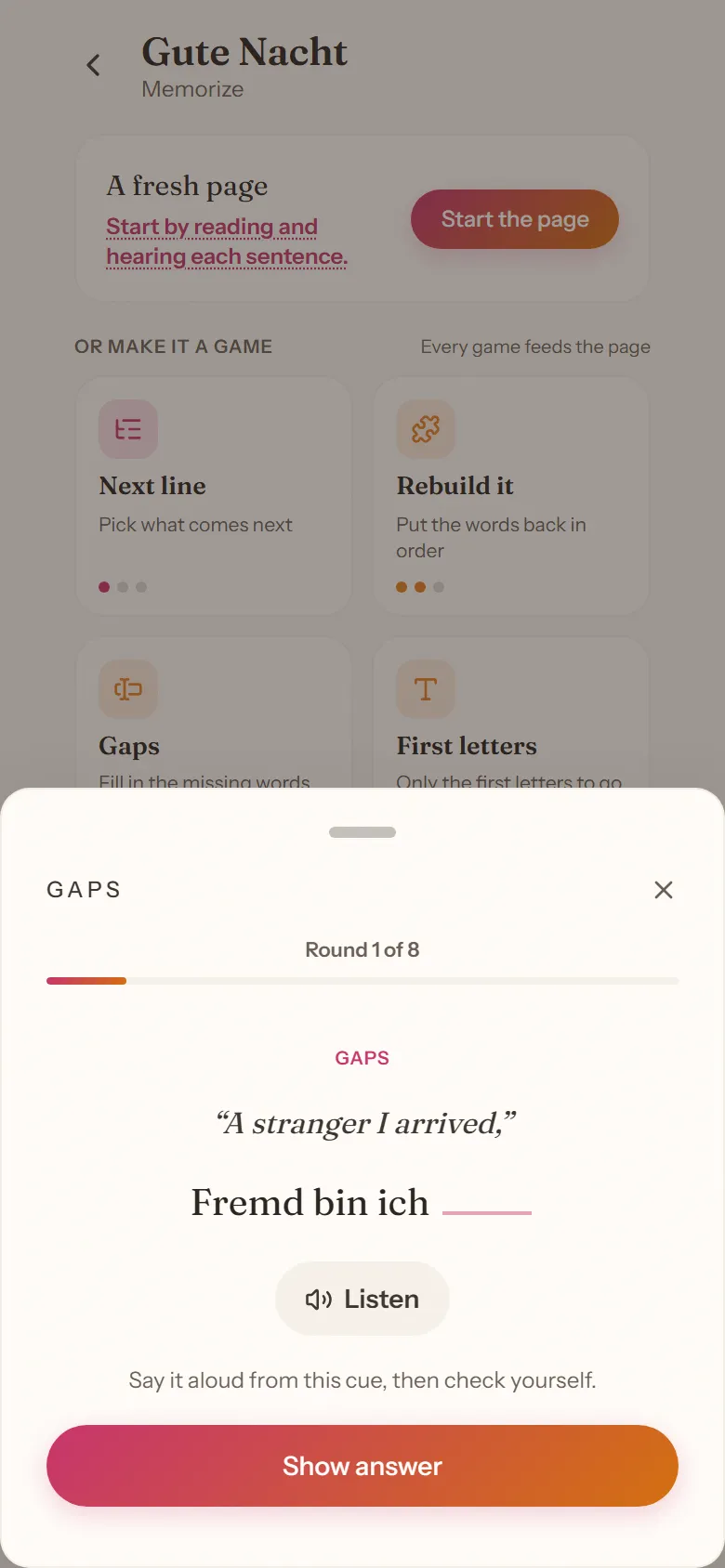
Beginne damit, jeden Satz zu lesen und anzuhören. Oder mach ein Spiel daraus: Jedes Spiel nährt die Seite.
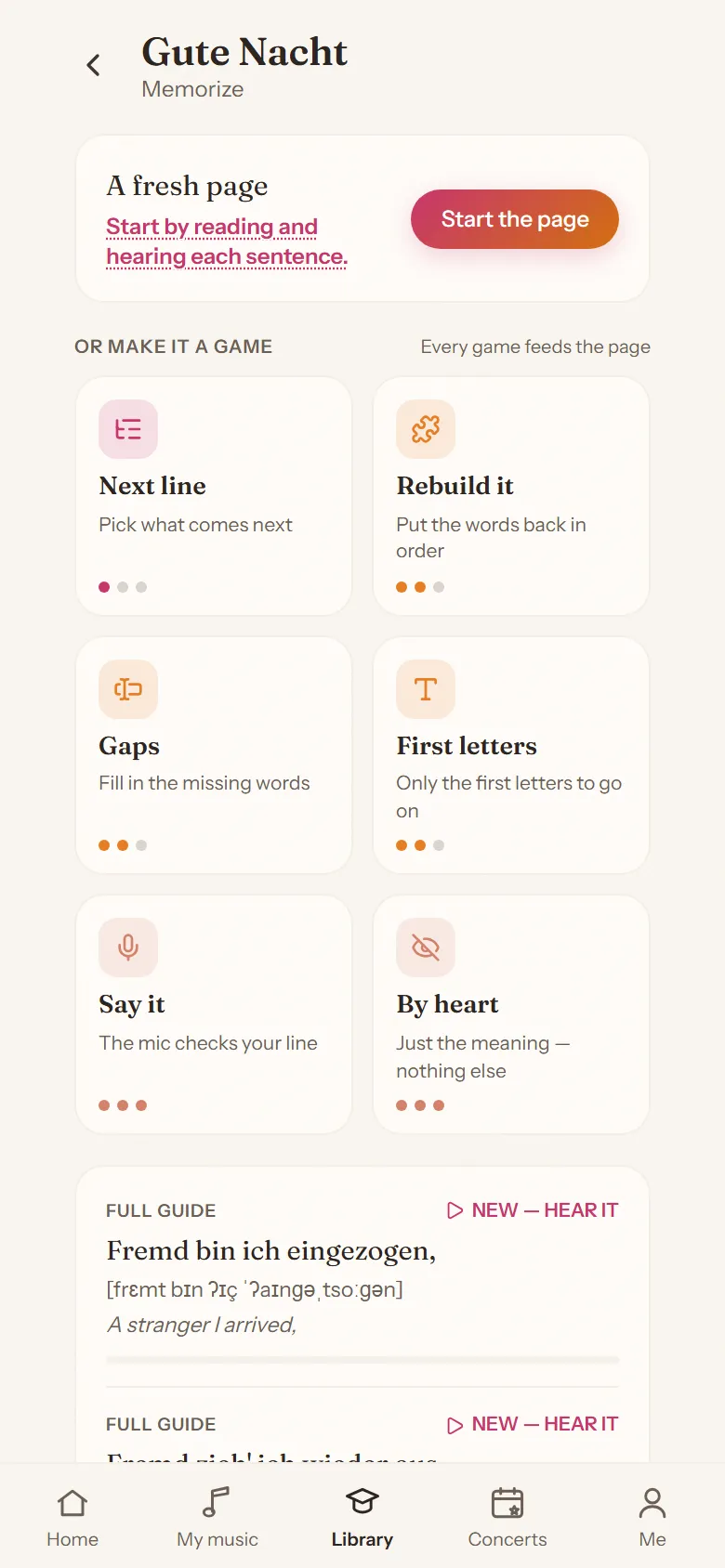
Nächster Satz
Wähle, was folgt.
Bau ihn auf
Bring die Wörter in die richtige Reihenfolge.
Lücken
Ergänze die fehlenden Wörter.
Anfangsbuchstaben
Nur die Anfangsbuchstaben als Halt.
Sag ihn
Das Mikrofon prüft deinen Satz.
Auswendig
Nur die Bedeutung, sonst nichts.
Wiederholung bringt Sätze zurück, bevor du sie verlierst. Du siehst genau, wo du stehst: Satz 12 von 31.
Diktion, eingebaut.
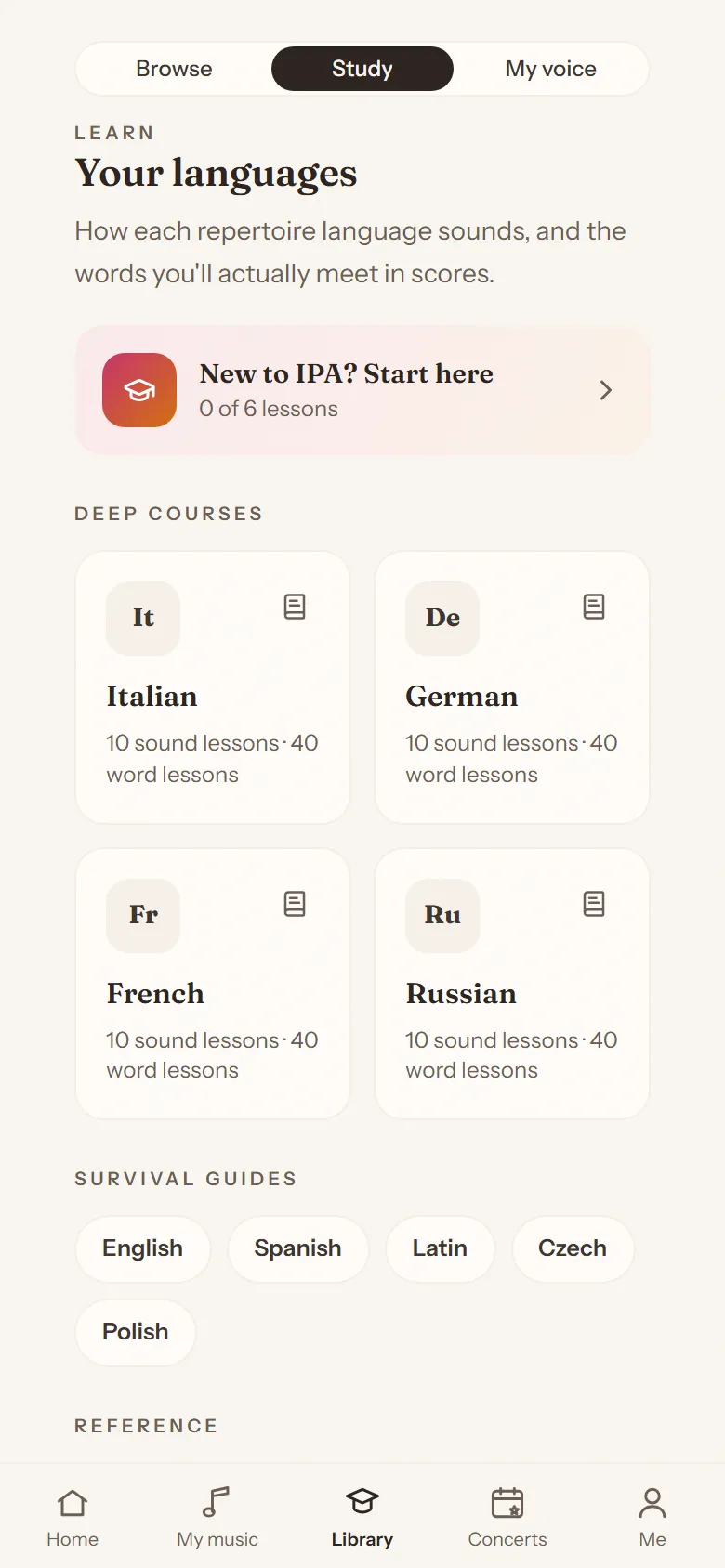
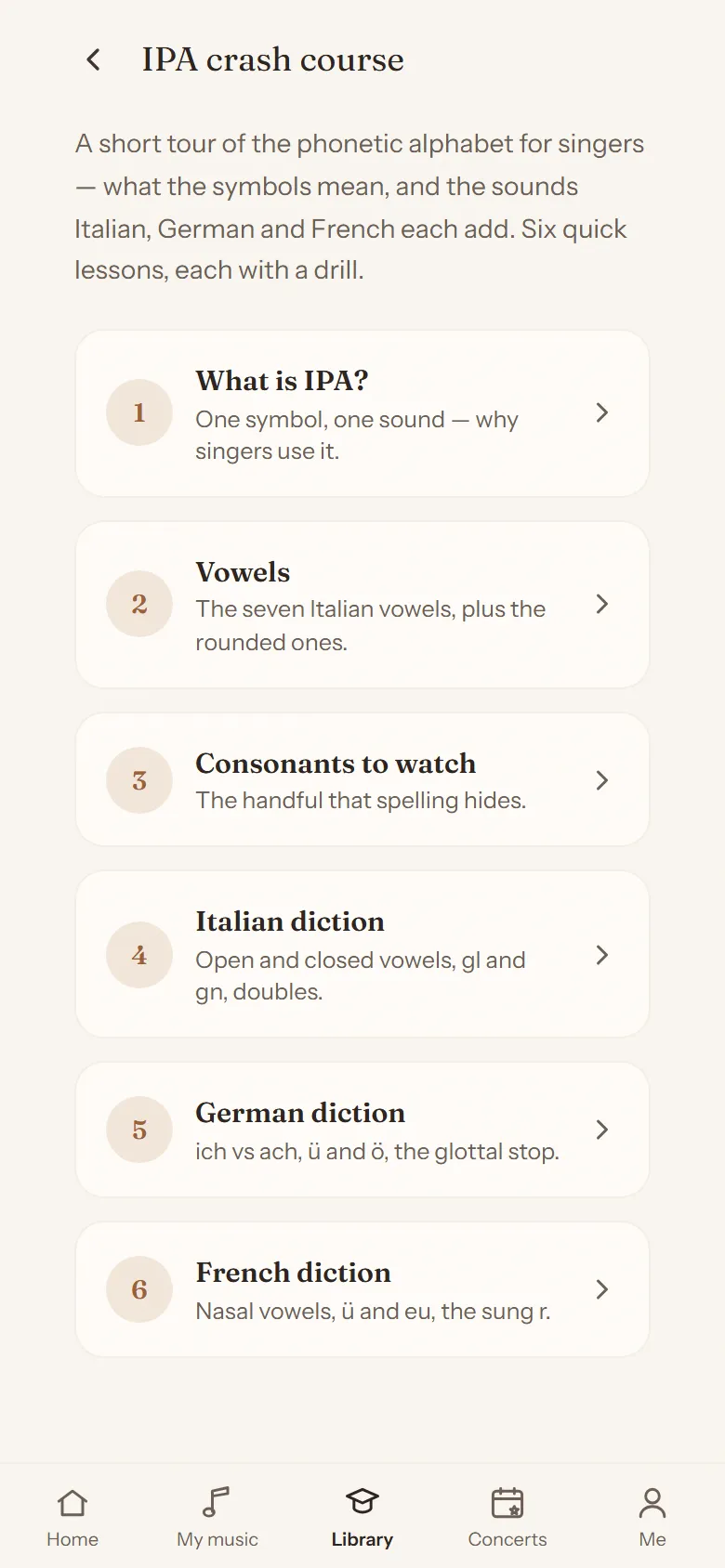
Wie jede Repertoiresprache klingt, und die Wörter, die dir wirklich in Partituren begegnen. Volle Kurse für Italienisch, Deutsch, Französisch und Russisch, Kurzguides für fünf weitere Sprachen, ein IPA-Schnellkurs und ein Opernwörterbuch.
Wer das macht.
Concert Companion wird von TuneShift gemacht, einer kleinen Firma arbeitender Musiker in den Niederlanden. Die App kommt aus dem Probenraum: gebaut von einem Konzertpianisten, der dort täglich mit Sängern arbeitet. Keine Werbung, kein Füllmaterial. Das Ziel: gut vorbereitet auf die Bühne.
Läuft auf jedem Gerät.
Concert Companion ist eine Web-App. Sie läuft in jedem modernen Browser, auf Handy, Tablet oder Laptop, und ist immer aktuell.
Auf Android installierst du sie über Google Play oder lädst die APK direkt herunter. Auf dem iPhone öffnest du concertcompanion.app in Safari und legst sie auf deinen Homescreen. Danach öffnet sie sich im Vollbild, wie jede andere App.
Preise.
Kostenlos
Zum Anfangen.
€0
- Bis zu 10 Sätze im Blick
- 3 Konzerte und Termine
- 5 Aufnahmen
- Plane bis zu 4 Tage im Voraus
- Verschlüsseltes Tagebuch und Metronom
- Figaro, Dichterliebe und Messiah komplett
- Dazu bis zu 3 Stücke deiner Wahl aus der Bibliothek, voll freigeschaltet
Pro
Die ganze Bibliothek, ohne Limits.
- Die ganze Bibliothek: Texte, Übersetzungen, Aussprache und Audio
- Unbegrenzt Stücke, Konzerte und Aufnahmen
- Performance Prep Mode
- Übungsplan bis 4 Wochen im Voraus
- Volle Statistiken und Historie
Du studierst? Studierende zahlen €7 pro Monat oder €60 pro Jahr. Du gibst es selbst in der App an, auf Vertrauensbasis.
Preise in Euro, inkl. MwSt.